PG1 - An interactive mascot created and animated for an email marketing webapp
This project was done as a part of ThemeWagon Ltd.
Duration: Feb, 2026 - Mar, 2026
Interact with demo

Role
Lead Designer, Animator
Apps used
Figma
Rive
Status
Delivered
Type
Character + Motion Design
Description
When creating a Email Marketing Webapp OneMail for ThemeWagon Ltd, it was required to design a highly customizable and interactive mascot. The challenges were to design a character that was neither too goofy, nor too serious. It needed to have the perfect balance between casual and friendly.The character was needed to design in such a way so that the other designers could modify and reuse later without too much hassle.
Key Tasks

Designed a simple, yet lovable character who would appear throughout the app and guide the users through different steps.
Using vectorized customizable elements that could be easily modified to create various poses and emotions.
Rigged and animated using Rive, which could be reused to create different gestures and motions.
Interactive, which could react to user actions live
PG1
The Personal Guide for OneMail
Some questions were needed to be answered first.
- What will this character represent?
A email marketing app
- What animal/bird can be associated with mails?
Pigeons of course!
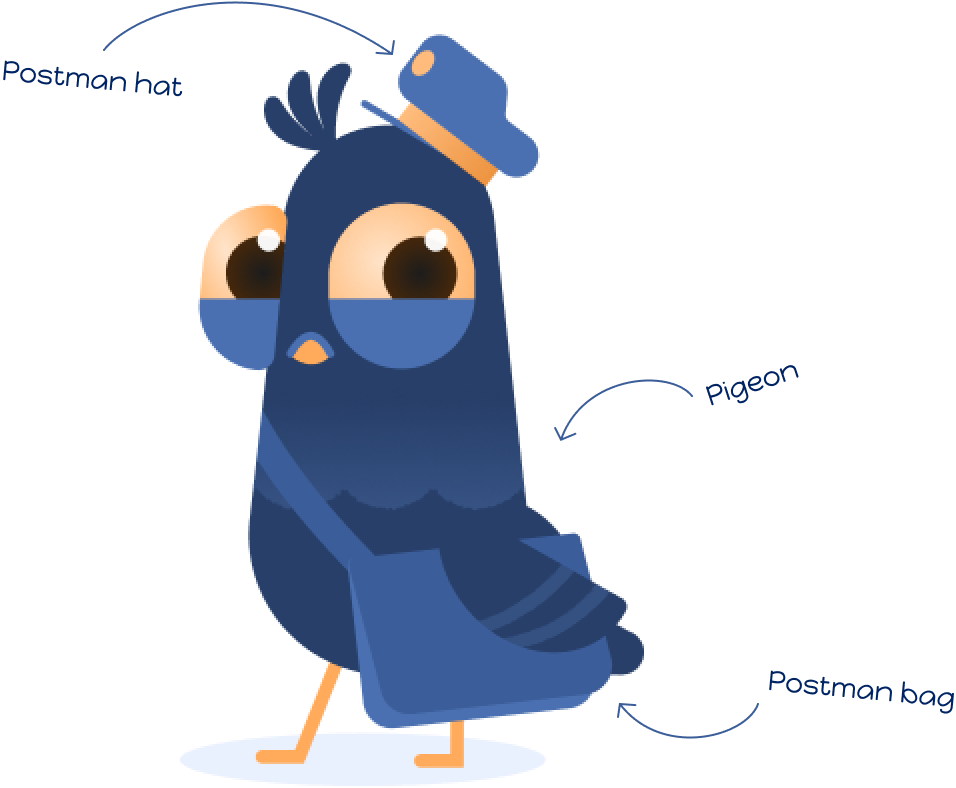
So I designed a postman pigeon, and a gave him a name that fitted the context perfectly!
I also gave him some stuffs usually used by postmen.
Simple vector shapes in perfect harmony
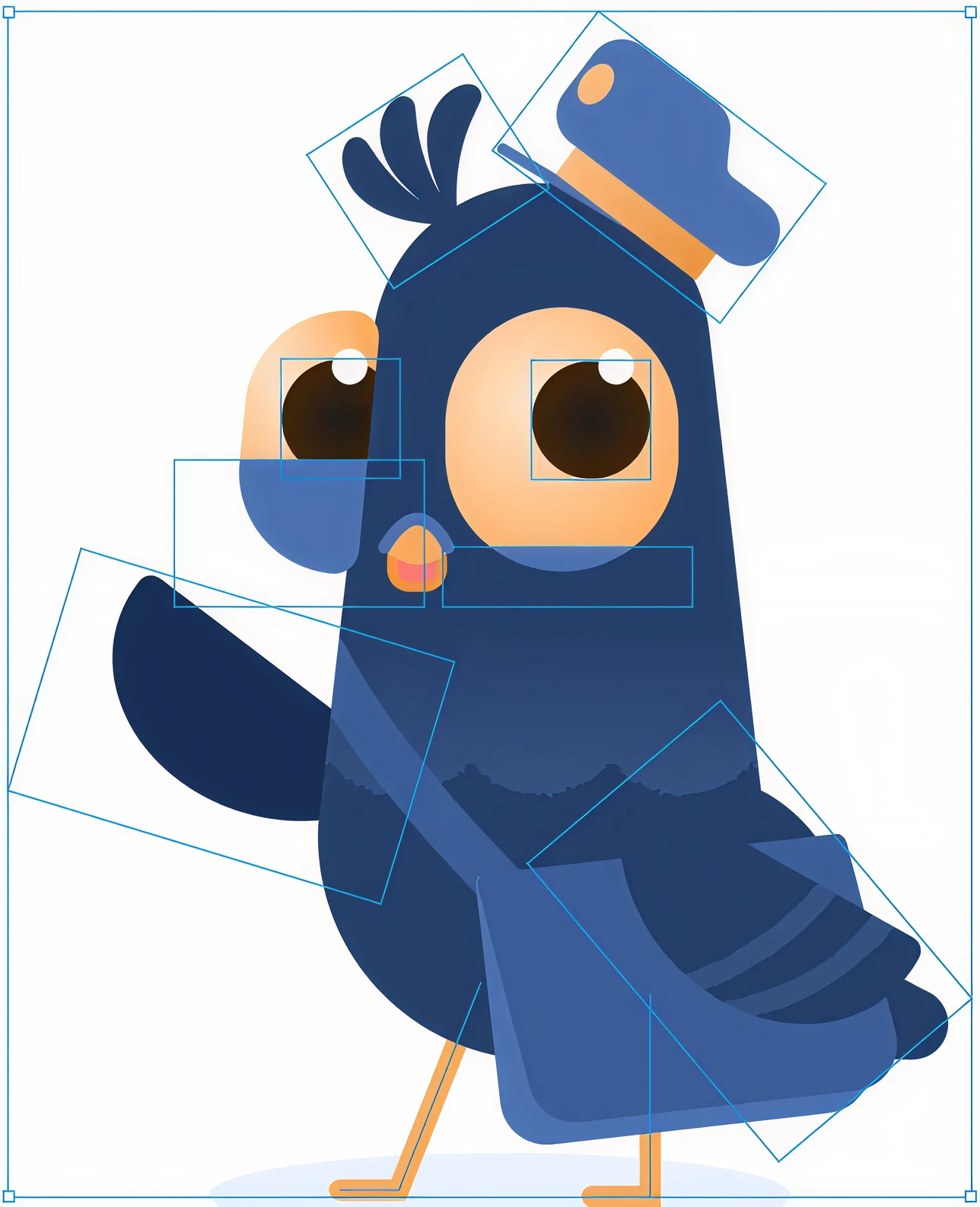
It was required to design the character in a way so that it was highly customizable and the elements could be rearranged by anyone (other designers) to create different emotions and motions.
my immediate decision was to make it completely vector-based. So I relied heavily on Figma and its “Reposition Anchor Point” feature. I create all the individual body parts with simple vector shapes, and anchored them with each other in a way that different gestures and emotions could be created easily literally by anyone.In short:
The character could be easily customized literally by anyone, despite their illustration skills.
Different emotions now could be created now without any issues
One just needed to understand how to reposition different elements to portray different emotions, and VOILA!

Friendly

Excited

Confident

Thinking

Bored

Mischievous
Then comes the animation
I decided to rig and animate the character using Rive, as unlike After Effects, the app lets to animate SVG files directly. So it came down to a simple flow of exporting the character directly from Figma, and animate it in Rive.

Figma
Export SVG


Rive
Rive’s simple Bones and Joystick allowed me to rig the character in no time at all!
After rigging, animating the character into doing different actions became a breeze!
The timeframe was limited and I needed to create some animations within it possible. So I picked some random scenes, and animated him accordingly. I could only animate 4 before leaving the project (or switch to a different company), but I am extremely happy with how they turned out to be,
One last touch with Rive’s State Machine
As the character was animated in Rive, I took fool advantage of Rive’s State Machine and tried to create an interconnection between the animations that user could interact with.Unfortunately, the project was not in such a stage at this point where I could utilize the state’s machine full capacity. So I decided to create a demo that could be expanded further in the future if the client wants.
Interact with demo
©
2025
Linkedin-in
behance
PG1 - An interactive mascot created and animated for an email marketing webapp
This project was done as a part of ThemeWagon Ltd.
Duration: Feb, 2026 - Mar, 2026
Interact with demo
Role
Lead Designer, Animator
Apps used
Figma
Rive
Status
Delivered
Type
Character + Motion Design
Description
When creating a Email Marketing Webapp OneMail for ThemeWagon Ltd, it was required to design a highly customizable and interactive mascot. The challenges were to design a character that was neither too goofy, nor too serious. It needed to have the perfect balance between casual and friendly.The character was needed to design in such a way so that the other designers could modify and reuse later without too much hassle.
Key Tasks
Designed a simple, yet lovable character who would appear throughout the app and guide the users through different steps.
Using vectorized customizable elements that could be easily modified to create various poses and emotions.
Rigged and animated using Rive, which could be reused to create different gestures and motions.
Interactive, which could react to user actions live
Some questions were needed to be answered first.
- What will this character represent?
A email marketing app
- What animal/bird can be associated with mails?
Pigeons of course!
So I designed a postman pigeon, and a gave him a name that fitted the context perfectly!
I also gave him some stuffs usually used by postmen.
PG1
The Personal Guide for OneMail
Simple vector shapes in perfect harmony
It was required to design the character in a way so that it was highly customizable and the elements could be rearranged by anyone (other designers) to create different emotions and motions.
my immediate decision was to make it completely vector-based. So I relied heavily on Figma and its “Reposition Anchor Point” feature. I create all the individual body parts with simple vector shapes, and anchored them with each other in a way that different gestures and emotions could be created easily literally by anyone.In short:
The character could be easily customized literally by anyone, despite their illustration skills.
Different emotions now could be created now without any issues
One just needed to understand how to reposition different elements to portray different emotions, and VOILA!
Friendly
Excited
Confident
Thinking
Bored
Mischievous
Then comes the animation
I decided to rig and animate the character using Rive, as unlike After Effects, the app lets to animate SVG files directly. So it came down to a simple flow of exporting the character directly from Figma, and animate it in Rive.
Figma
Export SVG

Rive
Rive’s simple Bones and Joystick allowed me to rig the character in no time at all!
After rigging, animating the character into doing different actions became a breeze!
The timeframe was limited and I needed to create some animations within it possible. So I picked some random scenes, and animated him accordingly. I could only animate 4 before leaving the project (or switch to a different company), but I am extremely happy with how they turned out to be,
One last touch with Rive’s State Machine
As the character was animated in Rive, I took fool advantage of Rive’s State Machine and tried to create an interconnection between the animations that user could interact with.Unfortunately, the project was not in such a stage at this point where I could utilize the state’s machine full capacity. So I decided to create a demo that could be expanded further in the future if the client wants.
Interact with demo
See more of my stuffs
©
2025
Made with Figma Sites, blood, tears and coffee ☕
Linkedin-in
behance
PG1 - An interactive mascot created and animated for an email marketing webapp
This project was done as a part of ThemeWagon Ltd.
Duration: Feb, 2026 - Mar, 2026
Interact with demo
Role
Lead Designer, Animator
Apps used
Figma
Rive
Status
Delivered
Type
Character + Motion Design
Description
When creating a Email Marketing Webapp OneMail for ThemeWagon Ltd, it was required to design a highly customizable and interactive mascot. The challenges were to design a character that was neither too goofy, nor too serious. It needed to have the perfect balance between casual and friendly.The character was needed to design in such a way so that the other designers could modify and reuse later without too much hassle.
Key Tasks
Designed a simple, yet lovable character who would appear throughout the app and guide the users through different steps.
Using vectorized customizable elements that could be easily modified to create various poses and emotions.
Rigged and animated using Rive, which could be reused to create different gestures and motions.
Interactive, which could react to user actions live
Some questions were needed to be answered first.
- What will this character represent?
A email marketing app
- What animal/bird can be associated with mails?
Pigeons of course!
So I designed a postman pigeon, and a gave him a name that fitted the context perfectly!
I also gave him some stuffs usually used by postmen.
PG1
The Personal Guide for OneMail
Simple vector shapes in perfect harmony
It was required to design the character in a way so that it was highly customizable and the elements could be rearranged by anyone (other designers) to create different emotions and motions.
my immediate decision was to make it completely vector-based. So I relied heavily on Figma and its “Reposition Anchor Point” feature. I create all the individual body parts with simple vector shapes, and anchored them with each other in a way that different gestures and emotions could be created easily literally by anyone.In short:
The character could be easily customized literally by anyone, despite their illustration skills.
Different emotions now could be created now without any issues
One just needed to understand how to reposition different elements to portray different emotions, and VOILA!
Friendly
Excited
Confident
Thinking
Bored
Mischievous
Then comes the animation
I decided to rig and animate the character using Rive, as unlike After Effects, the app lets to animate SVG files directly. So it came down to a simple flow of exporting the character directly from Figma, and animate it in Rive.
Figma
Export SVG

Rive
Rive’s simple Bones and Joystick allowed me to rig the character in no time at all!
After rigging, animating the character into doing different actions became a breeze!
The timeframe was limited and I needed to create some animations within it possible. So I picked some random scenes, and animated him accordingly. I could only animate 4 before leaving the project (or switch to a different company), but I am extremely happy with how they turned out to be,
One last touch with Rive’s State Machine
As the character was animated in Rive, I took fool advantage of Rive’s State Machine and tried to create an interconnection between the animations that user could interact with.Unfortunately, the project was not in such a stage at this point where I could utilize the state’s machine full capacity. So I decided to create a demo that could be expanded further in the future if the client wants.
Interact with demo
See more of my stuffs
UX/UI projects

Branding
Character Design
Digital Artworks
Blog Illustrations
Motion Design
©
2025
Made with Figma Sites, blood, tears and coffee ☕
Linkedin-in
behance